
Product images play an important role in online shopping. Customers cannot physically touch or examine products before ordering, so clear and professional photographs help them understand what they are buying.
However, product photographs often contain distracting backgrounds, unwanted objects or uneven edges. These issues can make product listings look less professional.
This is where a clipping path becomes useful.
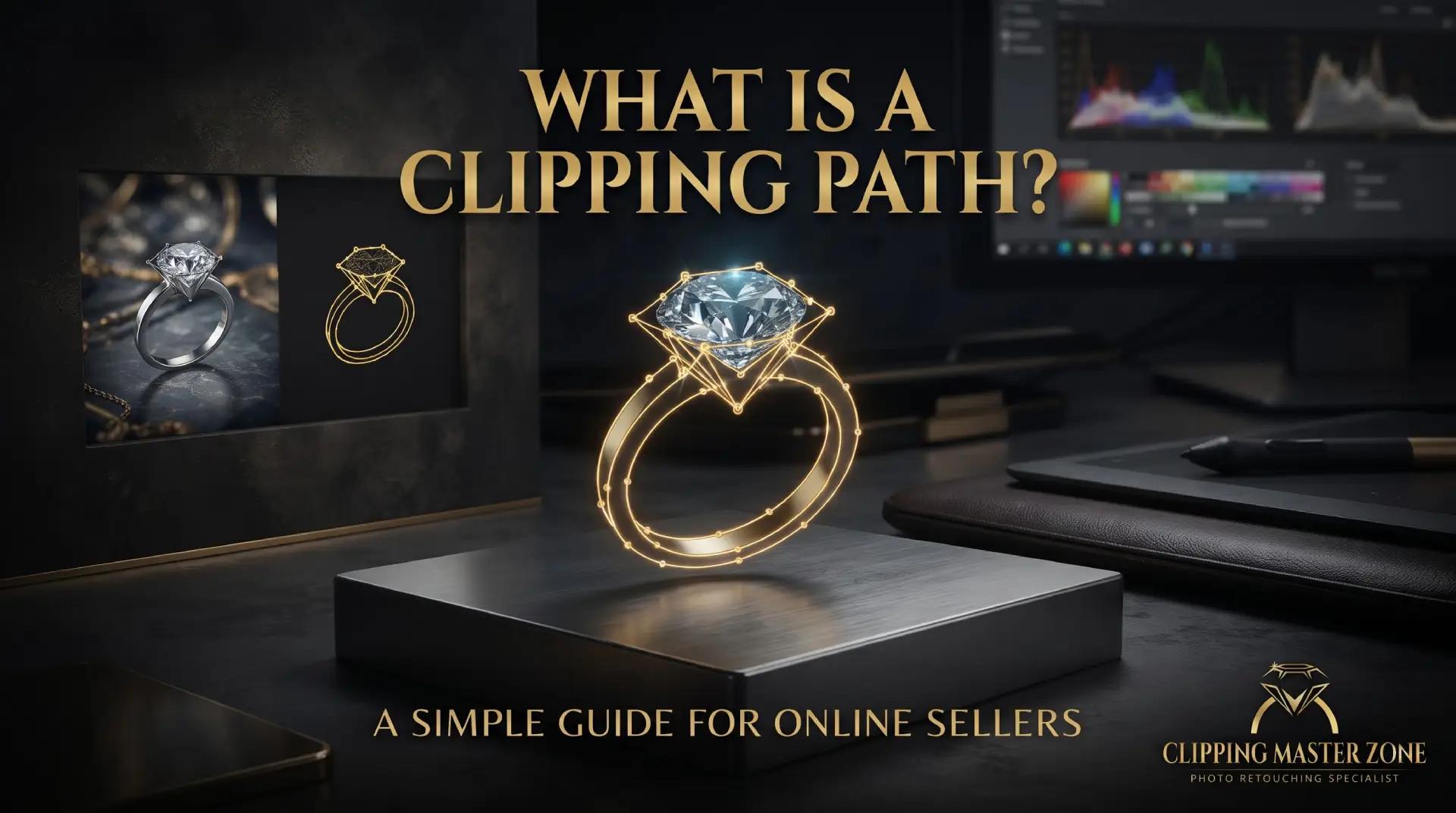
A clipping path is a technique used in photo editing to isolate a product from its original background. It allows online sellers to remove unwanted backgrounds, create clean product images and prepare photographs for e-commerce websites and marketplaces.
At Clipping Master Zone, we provide professional clipping path services UK for e-commerce businesses, product photographers, retailers and brands looking to improve their product image presentation.
What Is a Clipping Path in Photo Editing?
A clipping path is a closed vector outline created around an object using image-editing software, commonly Adobe Photoshop.
The outline identifies which part of an image should remain visible and which surrounding areas can be removed or changed.
For example, imagine a product photograph of a handbag taken against a cluttered background. A photo editor can draw a precise path around the handbag and separate it from the background.
The isolated product can then be placed on:
- A pure white background.
- A transparent background.
- A coloured background.
- A customised promotional layout.
- A different product presentation scene.
Clipping paths are particularly useful for products with clearly defined edges, such as shoes, bags, furniture, packaging and many manufactured products.
How Does the Clipping Path Process Work?
Professional clipping path editing involves several steps to achieve a clean and accurate result.
1. Reviewing the Original Product Image
The editor first examines the photograph to understand the product shape, background and edge complexity.
This helps determine the appropriate editing approach.
2. Drawing the Path Around the Product
Using the Pen Tool in Photoshop, the editor creates an outline around the product.
The path should follow the object’s edges carefully without cutting into the product or leaving unwanted background areas.
3. Refining the Edges
After creating the outline, the editor checks the edges for accuracy.
Extra care may be needed around curved shapes, small details, handles, gaps and complex product structures.
4. Removing or Replacing the Background
Once the path is complete, the background can be removed or replaced according to the client’s requirements.
Common output options include white backgrounds, transparent backgrounds and customised colours.
5. Exporting the Final Image
The edited image is saved in the required file format and dimensions.
Depending on the project, clients may request JPEG, PNG, PSD or another suitable format.
Why Do UK Online Sellers Need Clipping Path Services?
For e-commerce businesses, product photographs need to look consistent across their websites and marketplaces.
Professional clipping path services UK can support product presentation in several ways.
1. Creating Clean Product Backgrounds
A distracting background can take attention away from the product.
Clipping path editing helps isolate the main object so it can be presented against a cleaner background.
2. Maintaining Consistent Product Listings
Online stores often display hundreds or thousands of products.
Using consistent backgrounds and image layouts helps create a more organised catalogue.
3. Improving Product Presentation
Clean edges and properly isolated products can make photographs look more professional.
This helps businesses present products clearly across category pages, product pages and promotional materials.
4. Supporting Marketplace Image Preparation
Different marketplaces have their own image requirements.
Clipping paths can help sellers prepare product images with suitable backgrounds and compositions. However, the final image must still comply with the relevant marketplace’s current image policies.
5. Saving Editing Time
Editing large product collections manually can take considerable time.
Outsourcing image isolation to a professional editing provider can help businesses manage large image volumes while focusing on their other operations.
Different Types of Clipping Path Services
Not every product photograph requires the same level of editing. The complexity depends on the object’s shape, number of elements and edge details.
1. Basic Clipping Path
A basic clipping path is used for simple products with straight or gently curved edges.
Examples include:
- Books
- Boxes
- Mobile phones
- Simple packaging
- Basic household products
2. Simple Clipping Path
This technique is suitable for products with a few curves or moderately complex outlines.
Examples include shoes, handbags, bottles and some furniture products.
3. Medium Clipping Path
Medium clipping paths are used when a product contains multiple curves, holes or separate sections.
Examples include bicycles, chairs, jewellery pieces and products with several connected components.
4. Complex Clipping Path
Complex clipping paths are required for products with intricate shapes, multiple sections or many small details.
Examples include detailed machinery, complex accessories and products with several overlapping components.
5. Multiple Clipping Path
A multiple clipping path uses separate paths to isolate different areas of an image.
This is particularly useful when individual product parts need independent colour or adjustment controls.
For example, a fashion product may require separate paths for the body, buttons, collar and other sections.
Learn more about our Multiple Clipping Path Services.
Clipping Path vs Background Removal: What Is the Difference?
These terms are closely related, but they do not always describe exactly the same process.
A clipping path is a technique used to define an object’s outline. Background removal is the broader result of separating the product from its original background.
| Feature | Clipping Path | Background Removal |
| Main purpose | Defines the product boundary | Separates the product from the background |
| Common technique | Pen Tool and vector paths | Clipping paths, masking and other methods |
| Best suited for | Clearly defined product edges | Different types of image backgrounds and objects |
| Edge control | Precise path-based control | Depends on the selected editing technique |
| Common output | Isolated product image | Product with removed or replaced background |
For products with clearly defined edges, clipping paths are often a suitable solution. For hair, fur, transparent objects or intricate soft edges, image masking may be more appropriate.
Explore our Background Removal Services and Image Masking Services for other image isolation requirements.
Which Products Benefit from Clipping Path Editing?
Clipping path editing is useful for many types of e-commerce products.
Fashion accessories: Shoes, handbags, belts, wallets and other accessories.
Furniture: Chairs, tables, cabinets and home furnishings.
Electronics: Mobile phones, headphones, cameras and computer accessories.
Jewellery: Rings, pendants, earrings and other products with clearly defined outlines.
Packaging: Bottles, boxes, containers and retail packaging.
Home and lifestyle products: Kitchenware, decorative objects and household accessories.
The right technique depends on the product’s shape, transparency and edge complexity.
How Clipping Master Zone Supports UK E-Commerce Businesses
At Clipping Master Zone, we help businesses prepare clean, consistent and professional product images for online stores, marketplaces and digital catalogues.
Our clipping path services UK are suitable for:
- E-commerce retailers.
- Product photographers.
- Fashion and apparel brands.
- Jewellery businesses.
- Manufacturers and wholesalers.
- Advertising and creative agencies.
Our image-editing support includes:
- Basic and complex clipping paths.
- Multiple clipping path editing.
- Background removal.
- Image masking.
- White background image preparation.
- Product photo retouching.
We primarily serve clients in the UK, USA and Romania while accepting projects from businesses worldwide.
If you have product photographs that need precise background isolation, visit our Clipping Path Services for UK Businesses page or contact Clipping Master Zone to discuss your requirements.
What Should You Check Before Outsourcing Clipping Path Work?
Choosing an image-editing provider involves more than comparing quotations.
Before outsourcing, consider the following:
- Edge accuracy: Check whether the product outlines are clean and natural.
- Product preservation: Ensure important product details are not accidentally removed.
- Consistency: Review whether multiple images have a uniform appearance.
- File formats: Confirm the required output formats.
- Editing requirements: Explain whether you need clipping paths, background removal or additional retouching.
- Sample quality: Review relevant sample work before assigning a large project.
- Communication: Make sure the provider understands your instructions and delivery requirements.
These checks can help you select an editing partner that matches your product image requirements.
Frequently Asked Questions About Clipping Path Services
What is a clipping path in photo editing?
A clipping path is a closed vector outline created around an object to separate it from its background. It is commonly used to isolate products and prepare images for e-commerce and advertising.
What is a clipping path used for in e-commerce?
Clipping paths are used to isolate products, remove unwanted backgrounds and create consistent product images for online stores, catalogues and marketplace listings.
What is the difference between clipping path and image masking?
Clipping paths use vector outlines and are generally suitable for products with clearly defined edges. Image masking is more suitable for intricate or soft edges such as hair, fur, transparent materials and fine details.
Which products need clipping path editing?
Products such as shoes, handbags, electronics, furniture, packaging and many jewellery pieces can benefit from clipping path editing when they have clearly defined edges.
Can a clipping path create a transparent background?
Yes. A clipping path can be used to isolate an object and remove its original background. The image can then be exported in a format such as PNG that supports transparency.
Is clipping path editing suitable for Amazon and Shopify product images?
Yes. Clipping path editing can help prepare clean product images for Amazon, Shopify and other e-commerce platforms. Sellers must still follow each platform’s current image requirements.
Does Clipping Master Zone provide clipping path services in the UK?
Yes. Clipping Master Zone provides professional clipping path and related image-editing services for UK e-commerce businesses, retailers, photographers and brands. We also serve clients worldwide.
Final Thoughts
A clipping path is an important photo-editing technique for businesses that need clean and consistent product images. It helps isolate products, remove unwanted backgrounds and prepare photographs for professional online presentation.
For UK online sellers managing product catalogues, professional clipping path services UK can help improve image consistency and reduce the time spent on repetitive editing work.
Clipping Master Zone provides clipping path, multiple clipping path, background removal and image masking support for businesses in the UK and worldwide. Contact our team to discuss your product image editing requirements.